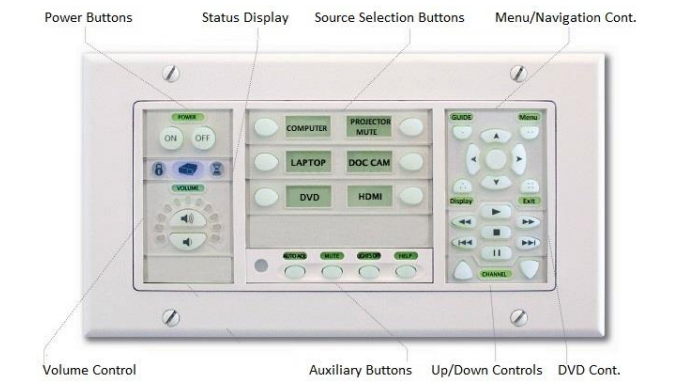
1) Press the ON button to turn on projector
2) Select the source (e.g. computer, laptop, HDMI, etc.)
3) Check that monitor is ON (look for LED indicator)
4) Turn ON equipment (e.g. computer, document camera, etc.)
5) Press the OFF button to turn off projector when done
For assistance, submit a ticket or contact the Helpdesk at x6411.