Body
Attached is a photo of how the new GE Classroom AV controller looks. The company Cal Coast Telecom (CCT) added closed captioning option to the DVD/VCR player combo unit. They also added a microphone input that allows an instructor to plug in an external microphone.
On the newly updated control panel, there is now a dedicated button called DVD/VCR CC. If you want to use the DVD/VCR player to play media and want to display Closed Captioning, you would press this button. If you want to play without Closed Captioning, then you would press the DVD/VCR button only.
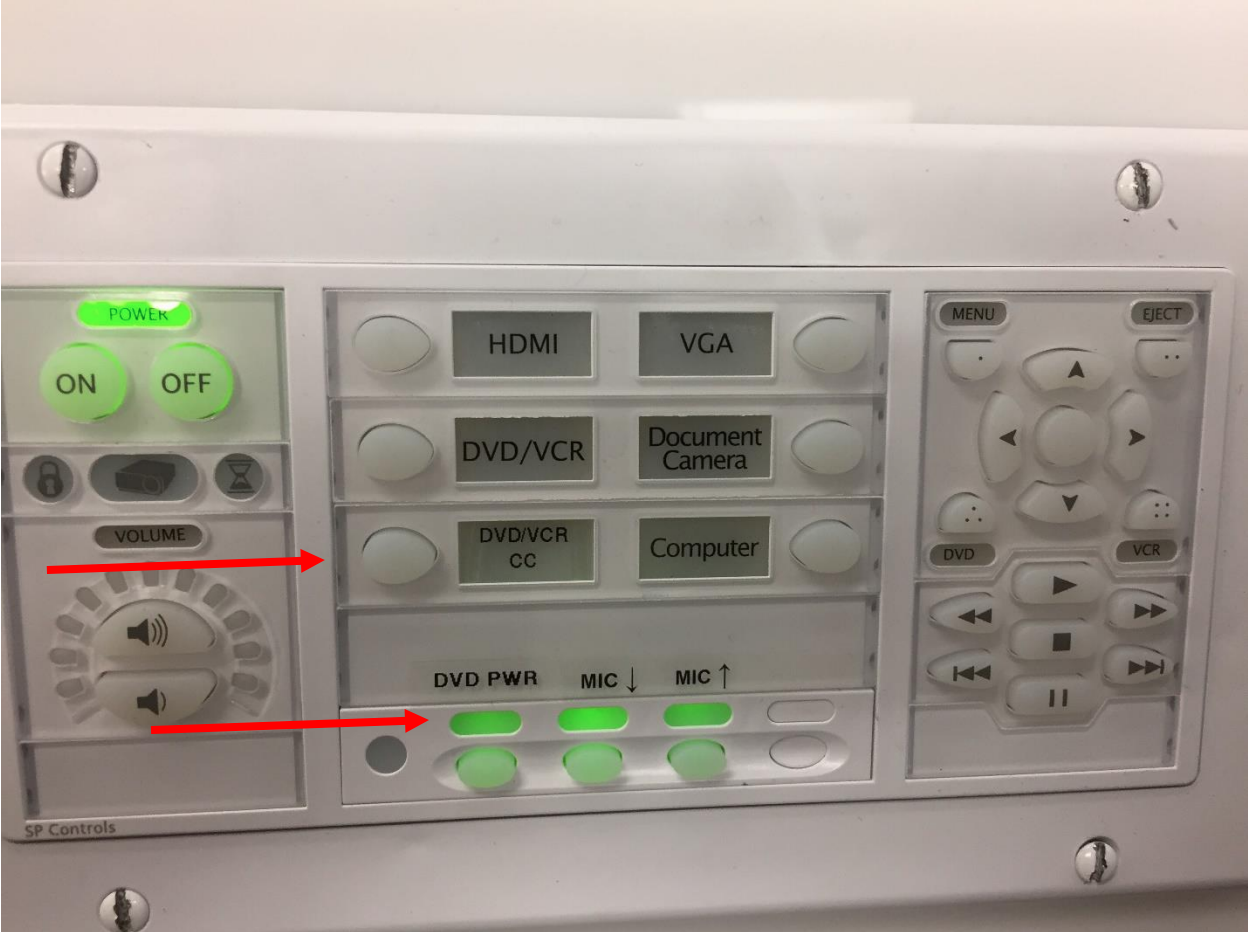
Always remember to press the DVD PWR button to power on the DVD/VCR player. There are now separate volume buttons to control the Microphone input indicated by the MIC (up arrow) and MIC (down arrow) buttons